How to Factory Hard Reset YU
IN THIS TUTORIAL CHECKOUT HOW TO FACTORY HARD RESET YU YUPHORIA YU5010 TO RECOVER IT FROM SOFTWARE ERRORS.
YU Yuphoria recently went on sale in the form on flash sale on amazon.in and this smartphone is exclusive to this online store and is only available in India. The first flash sale which took place on May 28, sold out 20,000 units of Yuphoria in the matter of seconds and this remarks the popularity of this smartphone in the market. The device is popular because of its high-end specs at the very affordable price tag of Rs.6,999.
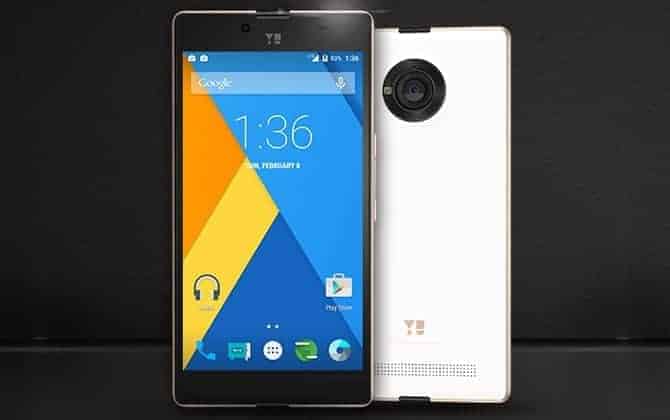
In this guide we are going to soft reset and hard reset YU Yuphoria, this method comes in handy when you are facing issues with Yuphoria and were unable to figure out what is causing it. Factory hard resetting YU Yuphoria will erase all of your apps, settings, files and data from Yuphoria and will revert your device back to factory settings and you have to set it up again.
Before you proceed with factory hard resetting YU Yuphoria, backup all of your data like Contacts, Call Logs, SMS, apps etc. and make sure your device has sufficient battery juice, it is recommended to at least 65% – 75%.
There are two methods to factory hard reset YU Yuphoria and we will guide you with both of them with complete steps to accomplish the task.
HOW TO FACTORY HARD RESET YU YUPHORIA:
Method 1: Using Reset option from settings app.
In this method we are going to factory hard reset YU Yuphoria from settings app. This method wipes all the data and settings without causing any harm to the files stored on internal storage.
To hard reset YU Yuphoria using this method follow the steps listed below:
- Open settings app.
- Go to Backup and Reset.
- Tap on Factory data reset.
- Follow the onscreen instructions.
Method 2: Using Recovery Mode.
This method involves use of Recovery Mode to wipe all of your data, settings, apps and files on internal storage. To hard reset YU Yuphoria using this method follow the steps listed below.
- Power off YU Yuphoria.
- Boot into Recovery Mode, by pressing and holding Volume Up + Volume Down + Power buttons simultaneously until you see YU Logo.
- Choose Wipe data / factory reset and perform the operation.
- Choose Wipe Cache Partition and perform the operation.
- Now at last choose Wipe Media and perform the operation.
Note: After the reset process it might take sometime for first boot, it may even take up to 6-10 minutes.
Congratulations! Now you know how to factory hard reset YU Yuphoria. Do share this tutorial with your friends on Facebook, Twitter and Google Plus and help them in restoring their device to factory state.
Have any questions? Feel free to drop ‘em in the comment section below.


Post a Comment